ZoriDiamantes Safety and Tips: How to Stay Safe
Are you thinking about using ZoriDiamantes for Free Fire? Before downloading an APK or trying extra game features, it is important to understand the possible risks. Your game account, personal information, and device security should always come first.
This guide explains ZoriDiamantes safety, possible APK risks, warning signs to watch for, and what to do if you have already installed the app. You will also learn practical ways to protect your Free Fire account and make safer choices online.
What Is ZoriDiamantes?
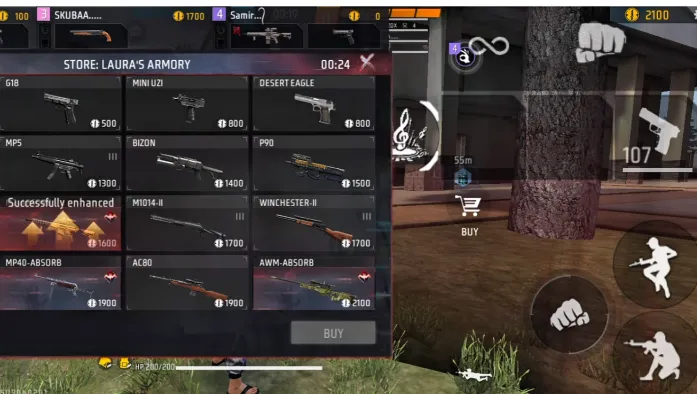
ZoriDiamantes is promoted online as an Android app or injector tool for Free Fire. Some websites claim it offers custom skins, free diamonds, and extra game features. However, these claims do not guarantee that the app works as promised or is safe to use. Online claims alone cannot verify whether an APK is genuine, functions as advertised, or is safe to install.
Before downloading, check the source carefully and understand the potential risks. Never share your Free Fire login details, payment information, or personal information with untrusted websites.
Is ZoriDiamantes Safe to Use?
ZoriDiamantes’ safety cannot be confirmed from website claims alone. Its APK may contain harmful software, even if the website says it is safe. Garena also warns against unauthorized apps and modified game clients that may put your Free Fire account at risk.
To stay safe, avoid APKs you cannot verify and download Free Fire from an authorized app store. Before using third-party tools.
What Are the Risks of Using ZoriDiamantes?
Before downloading ZoriDiamantes or any unknown APK, understand the possible risks to your Free Fire account, personal information, and phone.
Account Ban or Suspension Risks
Using unauthorized tools that modify Free Fire or provide unfair advantages can lead to an account ban. The consequences depend on the activity and Garena’s applicable rules.
Some websites may promise anti-ban features, but these claims do not guarantee that your account will remain safe.
To reduce the risk:
Privacy and Personal Data Risks
Some suspicious apps or websites may ask for information that could put your account or privacy at risk. Be careful about what you share and where you enter it.
Login Details: Never share your Free Fire password with untrusted sources.
Verification Codes: Never give verification codes to strangers or suspicious websites.
Personal Information: Avoid sharing private details with apps you cannot trust.
Payment and Recovery Details: Never enter payment information or account recovery details on an unfamiliar website offering free diamonds or special rewards.
Malware and Device Security Risks
An APK from an unknown source may contain harmful software or request unnecessary permissions. These risks can affect your phone and potentially expose personal information.
Watch for these warning signs:
Unknown Downloads: Files from untrusted websites may put your device at risk.
Unnecessary Permissions: Be cautious if an app requests access to your contacts, messages, or personal files without a clear reason.
Suspicious Activity: Unexpected pop-ups, unfamiliar apps, or unusual device behaviour may need further investigation.
Avoid installing an APK if you cannot verify its source or have serious concerns about its safety.
ZoriDiamantes Safety Tips for Free Fire Players
Want to keep your Free Fire account safe? These simple tips can help you avoid common online risks and protect your game progress.
Never Share Your Login Details
Your account details are private. Keep them safe, even when someone offers free diamonds, rare skins, or special rewards.
If a website asks you to sign in before claiming free diamonds, verify that it is an official service before entering any account information.
Avoid Suspicious Download Links
Not every download link is safe. Some websites may use free skins, diamonds, or exclusive features to attract users to risky downloads.
A professional-looking website does not automatically mean its downloads are trustworthy.
Protect Your Free Fire Account
A few basic security steps can help protect your account from unauthorized access.
Never share your password or verification codes with someone who promises free rewards or guaranteed account recovery.
Keep Your Device and Apps Updated
Updates help fix security problems and keep your phone better protected.
Keeping your device updated is a useful security habit, although it cannot guarantee protection against every threat.
Be Careful with Free Diamond Offers
Free diamonds and rare skins may sound tempting, but some offers are designed to trick players into sharing information, downloading suspicious files, or making payments.
How to Check an APK Before Installing It
Before installing an APK, take a moment to check where it comes from and whether it looks trustworthy. A few simple checks can help you avoid suspicious apps and protect your phone.
APK Safety Check
Check the Source → Review App Permissions → Scan for Threats → Evaluate the Risks → Decide Carefully
Important: A clean security scan does not guarantee that an APK is safe. If you cannot verify its source, do not install it.
Check the Website and App Permissions
Check the APK’s source and developer information, as a professional-looking website does not guarantee safety. Review app permissions and avoid installing the APK if its source or requested access seems suspicious.
Scan the File for Security Threats
Scan the downloaded APK with a trusted security app before installing it. A clean scan does not guarantee safety, so check its source and permissions, and avoid installing it if you have doubts.
Avoid Modified or Unknown APK Files
Modified APKs can change how a game works and may create security risks for your device or Free Fire account. Files from unknown websites can be especially difficult to verify.
To reduce these risks, download Free Fire from an authorized app store. If you cannot confirm where an APK came from or what it does, the safest option is not to install it.
How to Protect Your Free Fire Account
Your Free Fire account holds your game progress, items, and achievements, so keeping it safe is important. A few simple habits can help protect it from unauthorized access and reduce the risk of losing your progress.
Free Fire Account Protection Cycle
Create a Strong Password → Enable Two-Step Verification if Available → Link Your Account → Review Security Settings → Repeat Regularly
Use Strong Passwords and Two-Step Verification
Start by creating a strong, unique password for the account you use to log in to Free Fire. Avoid easy-to-guess passwords or using the same password across multiple accounts.
If your linked login platform supports two-step verification, enable it. This adds another layer of protection if someone discovers your password..
Link Your Account and Set Up a Recovery Email
Playing with a guest account can be risky because your progress may be lost if your device or game data is lost. Linking your account to a supported login platform can help protect your progress and make account recovery easier.
If Free Fire offers the recovery email feature for your account, follow the official setup instructions. Availability and requirements may depend on your account.
Use Official Free Fire Services
Download Free Fire from an authorized app store and use trusted payment options when buying diamonds. Avoid unknown websites that promise unusually cheap diamonds, free rewards, or guaranteed account recovery.
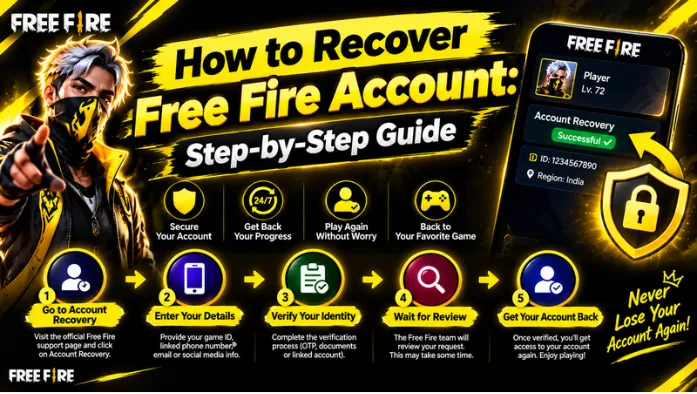
If you notice unusual activity or lose access to your account, contact Garena Support for help. Do not share your login details with strangers who claim they can recover your account.
What to Do If You Have Already Installed ZoriDiamantes
Already installed ZoriDiamantes and worried about your phone or Free Fire account? Don’t panic. Installing an unfamiliar app does not automatically mean your device or account has been compromised. However, if you are unsure about the app, take a few precautions.
Security Recovery Flow
Uninstall the Suspicious App if Needed; Scan Your Device; Secure Your Account if Your Details Were Exposed; Contact Official Support if Necessary
Remove Suspicious Apps
If you no longer trust the app, uninstall it from your phone. Then run a security scan using a trusted mobile security app and check for unfamiliar apps or unusual activity.
If you notice anything suspicious, avoid opening unknown files or granting additional permissions. If the problem continues, consider seeking help from a trusted device support professional.
Check Your Account Security
If you entered your Free Fire login details into the app or a website you do not trust, secure your linked account as soon as possible.
These steps can help reduce the risk of unauthorized access. If you reused the same password on other accounts, change it on those accounts too.
Contact Official Support if Needed
If you notice suspicious activity or can no longer access your Free Fire account, contact Garena Support. Explain what happened and provide the information requested through its official support process.
Avoid anyone who asks for your password or promises guaranteed account recovery in exchange for money. Use only official recovery channels and never share verification codes with strangers.
Frequently Asked Questions About ZoriDiamantes Safety
Final Thoughts
Before using ZoriDiamantes, think about the possible risks to your Free Fire account, personal information, and phone. Unknown APKs and free-diamond offers may not be safe, and website claims alone cannot prove that an app is trustworthy.
Keep your login details private, download apps from trusted sources, and follow Garena’s rules. Your account’s safety is more important than free diamonds or extra game features.